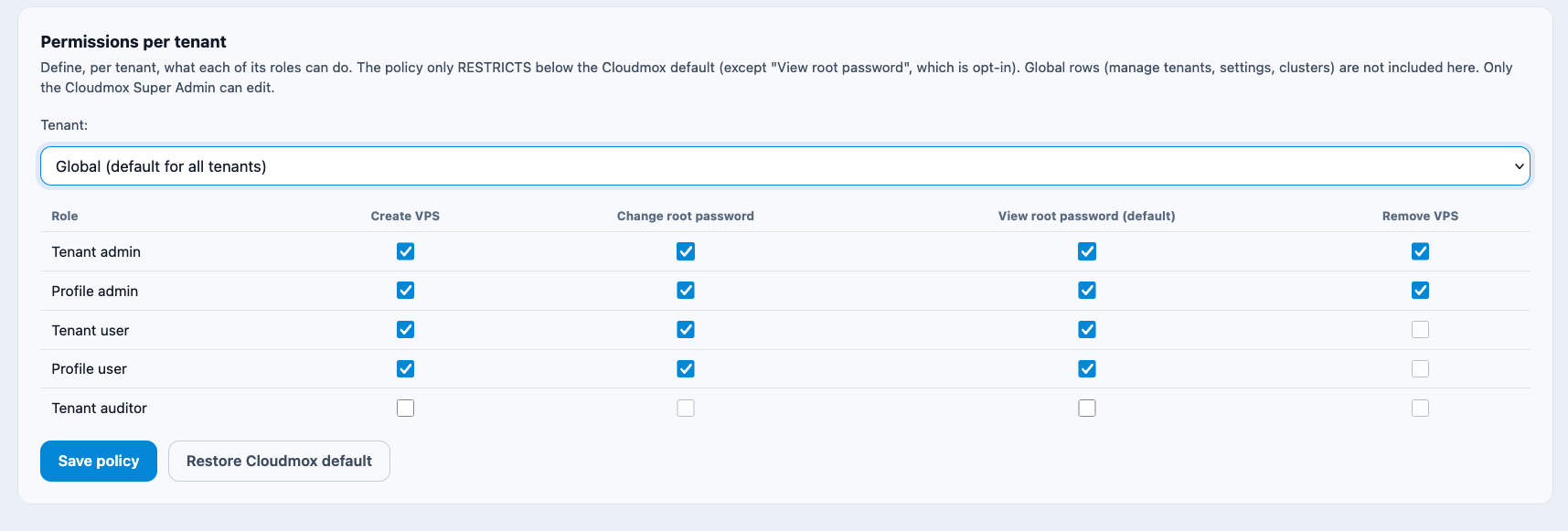
Default access rights
When a Tenant is created, they will have a Tenant admin. A Tenant admin and can create users.
While you onboard a Tenant, they get pre-configured rights. You can configure those pre configured defaults the following way:
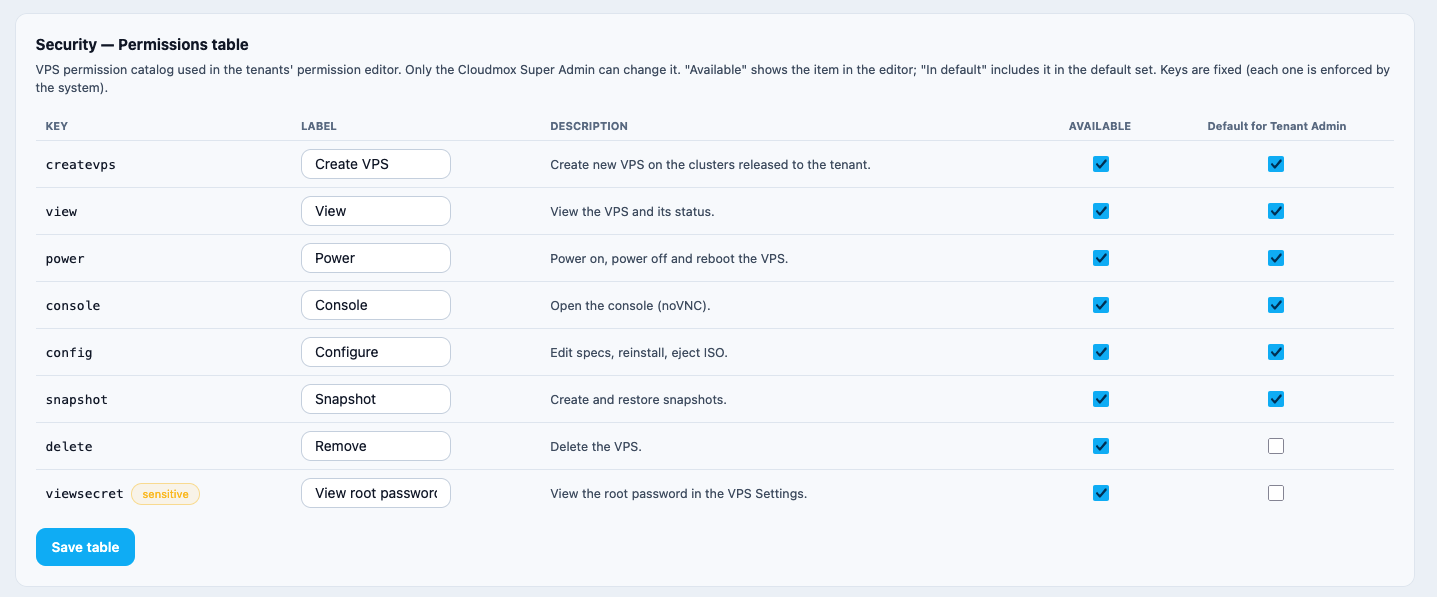
The Permissions table
This table can be found in the left menu > Settings > Security
Explanation of items
Key: The applicable item
Label: The userfriendly name of that item
Dedscription: What does an item do
Available: Should that item be visible for assignment
Default for Tenant Admin: These settings are used for new Tenant admins
How the default Permissions table works
Pretend you create the VM's for your Tenants. Your Tenants need complete controll of VM's but must never be able to create a VM. In that case, remove the checkbox createvps under Default for Tenant Admin. Then, when a Tenant admin is created, they won't be able to create VM's
Same if they should never have access to the console. Just uncheck Console in the Default for Tenant Admin column.
Default Permission settings
As a Cloudmox admin, you can define what the rights are for each role within a Tenant
This is done on the security page. The settings you checked here will be the defaults when a user is created.
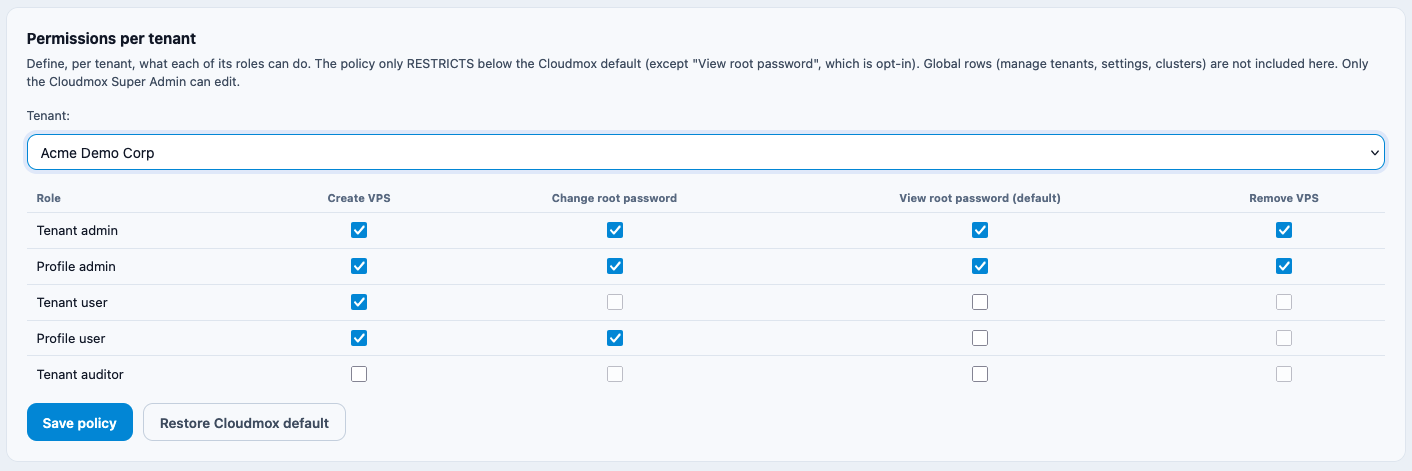
You can restore to Cloudmox defaults. That are the defaults you set here at global: